steam错误代码159是什么?出现159错误代码怎么处理?
Steam是全球最受欢迎的正版单机游戏平台,深受很多单机爱好者的喜爱,不过纵使这么受欢迎的平台,也难逃错误的困扰,101/103/159等等一连串错误代码弄得新玩家一脸懵逼,那么当平台出现错误代码159后怎么办呢?接下来就跟小编一起看下吧。
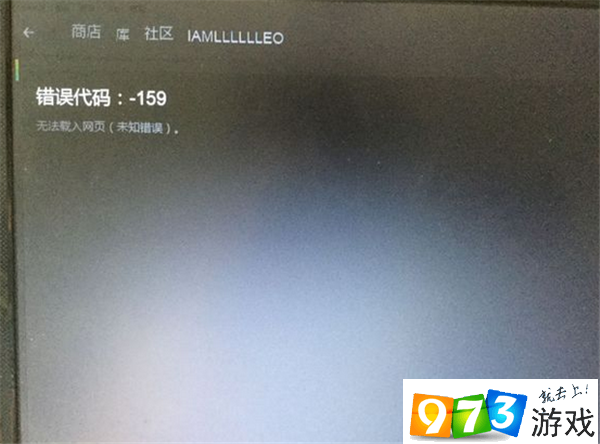
steam错误代码159出现原因
其实不光steam无法打开里面的内容,就算你切换到网页也是一样无法打开的,所以我们可以排除软件问题,那么肯定是网络的问题所导致的。
解决方法分析
1、改hosts
我们打开C:WindowsSystem32,再打开driversetc,找到host文件,先备份后用记事本打开,将下面这段代码复制进去。
hosts记得要备份以防不测,操作方法复制粘贴,然后把以下内容覆盖到hosts文件内
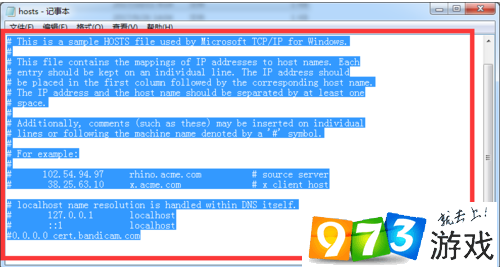
# Copyright (c) 1993-2009 Microsoft Corp.
#
# This is a sample HOSTS file used by Microsoft TCP/IP for Windows.
#
# This file contains the mappings of IP addresses to host names. Each
# entry should be kept on an individual line. The IP address should
# be placed in the first column followed by the corresponding host name.
# The IP address and the host name should be separated by at least one
# space.
#
# Additionally, comments (such as these) may be inserted on individual
# lines or following the machine name denoted by a '#' symbol.
#
# For example:
#
# 102.54.94.97 rhino.acme.com # source server
# 38.25.63.10 x.acme.com # x client host
# localhost name resolution is handled within DNS itself.
# 127.0.0.1 localhost
# ::1 localhost
以上步骤操作完后我们可以尝试下进入steam尝试下是否可以进入商店,如果不行我们打开CMD输入后面这句话“ netsh winsock reset”然后重置完LSP再次尝试。
2、开加速器
以上就是小编为您带来的全部内容了,希望能对您有所帮助,想要了解更多相关游戏资讯、攻略教程等,就上973游戏网,后续内容,更加精彩,详情请关注973游戏网。